
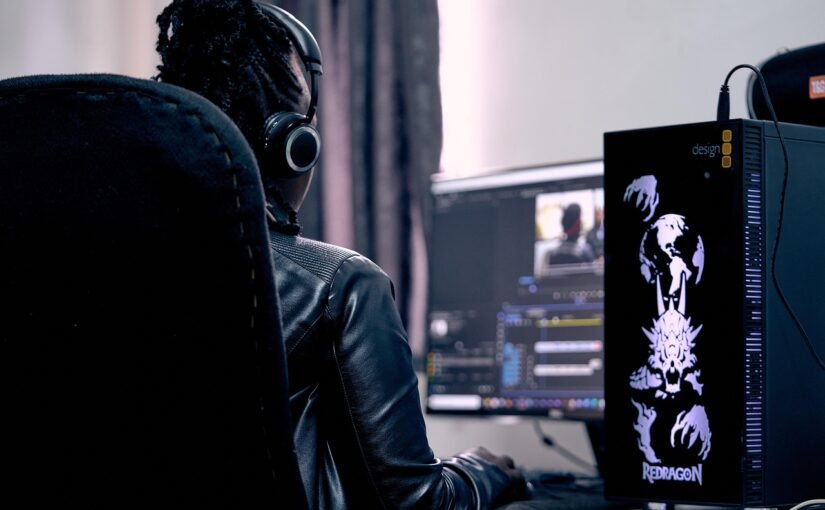
In 2025, livestreaming is no longer just about being live — it’s about delivering a compelling visual experience that keeps audiences engaged long after the stream ends. With the rise of AI-enhanced editing, real-time collaboration, and seamless integration across platforms, streamers need tools that go beyond basic trimming and transitions. Whether you’re clipping highlights from a Twitch stream or creating polished content for YouTube, the right editing software can elevate your brand and expand your reach.
Drawing inspiration from the latest industry insights, here are the top 10 video editing tools streamers are turning to in 2025.
1. Adobe Premiere Pro
Still the industry benchmark, Premiere Pro continues to dominate in 2025 thanks to its deep functionality, frequent AI-powered updates, and integration with the broader Adobe Creative Cloud. For streamers, features like auto-captioning, advanced color grading, and motion graphics templates make it ideal for creating polished post-stream videos. Its Steady Frame AI tool, introduced in 2024, automatically smooths shaky camera footage — a lifesaver for IRL streamers.
2. DaVinci Resolve 19
DaVinci Resolve has evolved from a color grading tool into a full-fledged editing powerhouse. Version 19 introduces new collaborative features perfect for teams, plus intelligent scene cut detection that simplifies clip organization. Streamers love its real-time audio isolation, which helps clean up noisy game footage or background sounds during live commentary. The free version remains one of the most robust editing platforms available.
3. Final Cut Pro for iPad (and Mac)
Apple’s Final Cut Pro now offers a unified experience across Mac and iPad, making it a top pick for mobile-first streamers and creators who edit on the go. With support for Apple Pencil gestures and multicam editing, it’s ideal for vlog-style streamers or those who repurpose livestreams into short-form content. The 2025 version features AI Smart Conform, which auto-adjusts framing for vertical, square, and widescreen formats.
4. CapCut
Originally popular on mobile, CapCut has grown into a surprisingly powerful desktop editor used by streamers looking to quickly repurpose Twitch or Kick clips for TikTok, YouTube Shorts, or Instagram Reels. Its drag-and-drop timeline, dynamic text animations, and auto-beat sync features make it perfect for rapid turnaround. The 2025 version now supports 4K exports and collaborative editing in the cloud.
5. VEED.IO
VEED.IO is a browser-based editor that’s perfect for streamers who don’t want to install heavy software. It excels at fast, automated tasks like subtitle generation, translation, and social media formatting. Its AI-powered “Highlight Reel” tool can automatically detect and compile the most exciting moments from a stream — a massive time-saver for creators posting daily. VEED’s minimalist interface appeals to newer streamers or those focused on efficiency.
6. HitFilm
HitFilm, by FXhome, blends traditional video editing with VFX-level effects, making it a favorite among gaming streamers and those creating cinematic-style intros and overlays. In 2025, it added real-time rendering improvements and a customizable workspace tailored for dual-monitor setups. Its integration with OBS Studio and Twitch overlays makes it a unique bridge between live broadcasting and post-production.
7. Streamlabs Video Editor (SLVE)
New in 2025, Streamlabs Video Editor is designed specifically with streamers in mind. Built by the team behind Streamlabs OBS, SLVE imports stream recordings directly, automatically identifies highlight-worthy moments, and offers simple tools for trimming, captioning, and publishing to multiple platforms. Its strength lies in workflow automation — perfect for full-time streamers managing high-volume content.
8. Lightworks
A long-standing name in editing, Lightworks continues to impress with its 2025 interface overhaul, which now includes prebuilt social media export presets and timeline snapping tailored for clip-based editing. Streamers benefit from GPU acceleration, background rendering, and fast project export options. While its learning curve is steeper than some others, its performance is unmatched on lower-end machines.
9. Wondershare Filmora 13
Known for its simplicity and speed, Filmora is ideal for beginner or intermediate streamers who want to produce clean, professional-looking videos without the complexity of pro-level tools. Version 13 brings enhanced motion tracking, AI cut detection, and a new visual effects library that’s particularly useful for adding flair to reaction videos or stream highlights.
10. Descript
While unconventional, Descript has become an essential tool for streamers who also publish podcast-style content. Its unique text-based editing system allows creators to edit video by editing a transcript. In 2025, it added improved multi-track video support and AI voice cloning, which can help fix flubbed lines without re-recording. Perfect for “talking head” streamers, interviewers, or educators.
Whether you’re streaming games, music, or lifestyle content, the tools available in 2025 offer unprecedented flexibility, automation, and creative potential. Choosing the right video editor depends on your content style, workflow, and whether you prioritize mobile editing, team collaboration, or high-end effects. One thing’s clear: with the right tools, streamers can turn every broadcast into a standout production.


